Ender 3 V2: Tips, Tricks, and Essential Features
Introduction
3D printing has become a popular way for hobbyists, students, and professionals to bring their ideas to life. One of the most well-known 3D printers for beginners and budget-conscious users is the Ender 3 V2. This printer is praised for its affordability, reliability, and ease of use. In this article, we will explore everything you need to know about the Ender 3 V2, including its features, setup, printing tips, and why it’s a great choice for beginners.
What Is the Ender 3 V2?
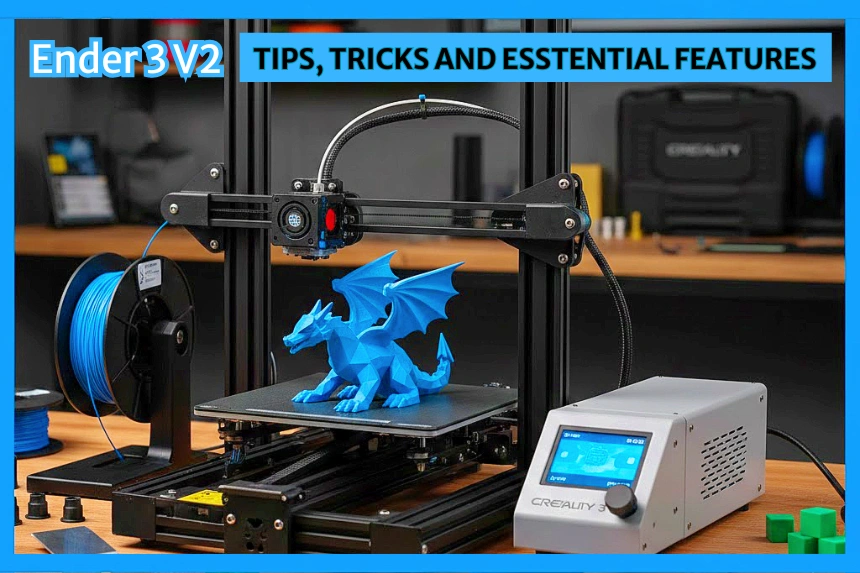
The Ender 3 V2 is an entry-level FDM (Fused Deposition Modeling) 3D printer. FDM printers work by heating up plastic filament and depositing it layer by layer to create a 3D object. The Ender 3 V2 is a step up from the original Ender 3, offering better build quality, updated features, and a more user-friendly experience, all while staying budget-friendly.
It is widely used by hobbyists, students, and anyone interested in exploring 3D printing without spending a fortune. Its combination of affordability, performance, and community support makes it a favorite in the 3D printing world.
Key Features of the Ender 3 V2
The Ender 3 V2 comes with several features that make it a great choice for beginners:
1. Large Build Volume
The printer has a build area of 220 x 220 x 250 mm, which is enough to create medium-sized objects such as toys, models, and household items. This allows users to print bigger projects without worrying about splitting them into parts.
2. User-Friendly Design
The Ender 3 V2 is designed with ease of use in mind. It has a simple interface with a color LCD screen and a rotary knob, making it easy to navigate menus and control the printer. It also includes a silent motherboard, which keeps the printer quieter than older models.
3. Glass Bed for Better Adhesion
The printer comes with a carborundum glass bed that provides better adhesion for prints and smoother bottoms. This reduces the chance of warping and makes it easier to remove completed prints.
4. Improved Extruder and Hotend
The upgraded extruder and hotend make it easier to feed filament and reduce issues like clogging. It supports a range of filaments, including PLA, ABS, PETG, and TPU.
5. Resume Printing Function
The resume printing feature is extremely useful in case of a power outage. The printer can pick up from where it left off, so you don’t have to start over if your print is interrupted.
Ender 3 V2 Models and Variants
1. Ender 3 V2 (Standard)
The base model features manual bed leveling, a glass build plate, and a 220×220×250 mm build volume.
- Price: $230-$280 USD.
2. Ender 3 V2 Neo
An upgraded version with CR‑Touch auto bed leveling, metal extruder, and a magnetic spring steel bed for easier setup.
- Price: $240-$300 USD.
3. Ender 3 V2 with Glass Bed
Some sellers offer this variant with a tempered glass bed for smoother prints.
- Price: $260-$300 USD.
4. Pre‑Assembled Ender 3 V2
Comes fully assembled for convenience, allowing you to print right away.
- Price: $300-$350 USD.
How Ender 3 V2 Works: Step by Step
Prepare the Printer: Assemble the printer and level the bed to ensure the nozzle is the correct distance from the build surface.
Load Filament: Insert plastic filament into the extruder and preheat the nozzle so the filament melts.
Slice Your Model: Use slicing software to convert your 3D model into printer instructions (G-code).
Start Printing: Send the file via SD card or USB; the printer heats the nozzle and bed, then begins depositing melted filament layer by layer.
Layer-by-Layer Building: The printer moves along the X, Y, and Z axes, carefully creating each layer until the object is complete.
Cooling and Finishing: The part cools on the glass bed; remove it carefully and optionally do post-processing like sanding or painting.
Setting Up the Ender 3 V2
Setting up the Ender 3 V2 is straightforward, even for beginners. Here’s a step-by-step overview:
Unbox and Assemble: The printer comes semi-assembled. You need to attach the frame, gantry, and build plate. Most users can finish setup in about 30-60 minutes.
Level the Bed: Bed leveling ensures the first layer sticks correctly. The Ender 3 V2 uses a manual leveling system with adjustment knobs.
Load the Filament: Insert the filament into the extruder and preheat the nozzle to melt the filament for printing.
Calibrate the Printer: Check the nozzle distance from the bed and run a test print to ensure everything is aligned.
Start Printing: Use the SD card or USB connection to send your 3D model to the printer.
Practical Tips for Better 3D Printing Results on the Ender 3 V2
Even with a beginner-friendly printer like the Ender 3 V2, following these hands-on tips can make your prints smoother, stronger, and more reliable:
1. Choose the Right Filament and Store It Properly
For better Ender 3 V2 prints, use quality filament, keep the bed level and clean, adjust speed and temperature, and use cooling wisely. Maintain the printer and start with small test prints to ensure consistent results.
2. Master Bed Leveling
Manually level the Ender 3 V2 bed before each print for consistent first layers. Use a piece of paper as a gauge between the nozzle and bed, and consider a BLTouch sensor for easier, more consistent leveling over time.
3. Fine-Tune Print Settings
Start with default settings, then adjust layer height, speed, and temperature for your filament. For PLA, use a 200-210°C nozzle and 60°C bed; for PETG, 230-250°C nozzle and 70-80°C bed. Slower speeds of 40-60 mm/s help improve detail and reduce stringing.
4. Keep the Printer and Bed Clean
Clean the Ender 3 V2 before each print by wiping the glass bed with isopropyl alcohol, checking the nozzle for leftover filament, and removing any dust or debris from the frame and belts to ensure smooth printing.
5. Use Cooling Strategically
Use the part cooling fan for PLA to improve surface quality and prevent warping, and reduce cooling slightly for larger or high-temperature filaments like PETG to ensure better layer adhesion.
6. Start Small and Test
Start with small calibration prints, like a 20mm cube, to test settings and filament before printing larger models, saving time and preventing wasted material.
7. Maintain Your Printer Regularly
Regularly tighten belts, lubricate rods, check screws, and inspect bed springs and pulleys to keep the Ender 3 V2 reliable and maintain print quality.
Pros and Cons of the Ender 3 V2
Pros:
- Affordable for beginners
- Large community support and online tutorials
- Easy to assemble and use
- Reliable for various filament types
- Quiet operation
Cons:
- Manual bed leveling can be tricky at first
- Limited to FDM printing (cannot print resin models)
- Occasional need for upgrades to improve speed or quality
Conclusion
The Ender 3 V2 is a fantastic entry-level 3D printer that balances affordability, performance, and ease of use. With its large build area, user-friendly design, and strong community support, it’s perfect for anyone starting their 3D printing journey. Whether you want to print toys, models, or DIY tools, the Ender 3 V2 is a reliable companion for learning and creating in the world of 3D printing.